Resellers Calendar Login
 
Service and Support
 
  Knowledgebase

Got a question?  Our knowledgebase has answers 24 hours a day, 7 days a week.

Browse knowledgebase categories or search with keyword related to your question.
  Email Support Form

Can't find an answer in the knowledgebase?  Please use our email support form to send your question to our support team.

We try to answer questions within 1 business day or less.
 
 
Search:     Advanced search
Browse by category:


How do I change the calendar owner?

Calendar "owner" names may not be deleted. If the owner name needs to be changed, just follow the
steps below:

Login as a calendar administrator

  1. Click on the [Admin Menu] button then click on "Users & Groups"
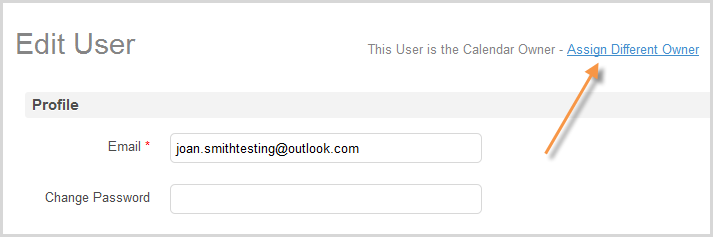
  2. Highlight the "owner" name and click the [Edit] button
  3. Change the owner's name and email address to the new person
  4. We also recomment changing owners screen name and password by
    checking the box "Change this user's screen name and password" and
    entering a new screen name and password.
  5. Click "Save" and the change is complete.

Note - If the previous owner is listed under "Account" you will also want to change the information
here. Just click the [Admin Menu] button then select "Account" - make changes and save.


Others in this Category
document How to set up a reservation calendar for resources (e.g. conference rooms)?
document How to set up personal calendars with assistant?
document How to know who updated an event?
document Why are some users missing from reminders user selection list?
document How to create a link to a document from an event
document How can I change my Calendar Identifier?
document How can I view multiple selected categories in my CalendarWiz calendar?
document How can I set a category to always display its events?
document Can I access CalendarWiz with my iPhone?


Copyright 2008, CalendarWiz LLC, All rights reserved.