
It just got easier to add a documents to your event descriptions. You may upload PDFs, MS Word docs, Excel spreadsheets and more to your CalendarWiz calendar. Many customers use this feature to attach flyers, registration forms, pamphlets or photos & images to their calendar events.
Here's how to attach a document to your event:
1. Click to add event > click [More event options...] > click Description & Images tab to access full event editor >
go to Description & Images tab & click "Insert/Edit Link" icon shown below.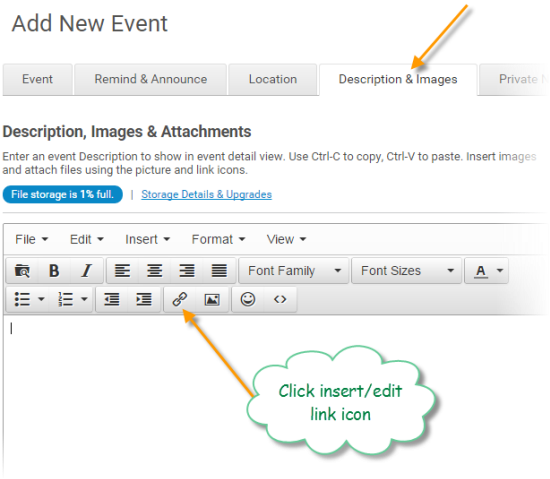
2. Next, you'll see the insert link window open. Click the "File Manager" button to upload documents or files to your calendar. You may also use the URL field to link to another web page, website, or document located on another server.
(SEE BELOW)
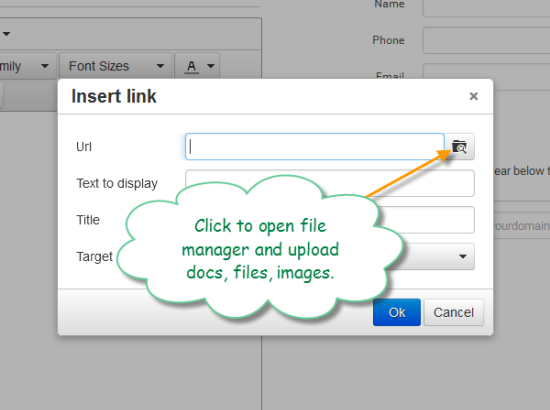
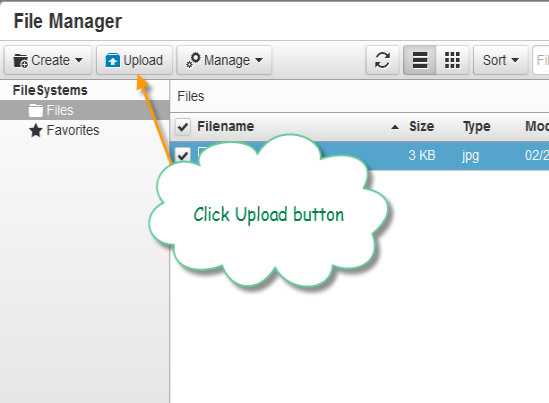
3. The file manager will open. Click the Upload Button.
4. Drag & Drop files from your local computer or click the [Add Files] button to browse to find a document or file.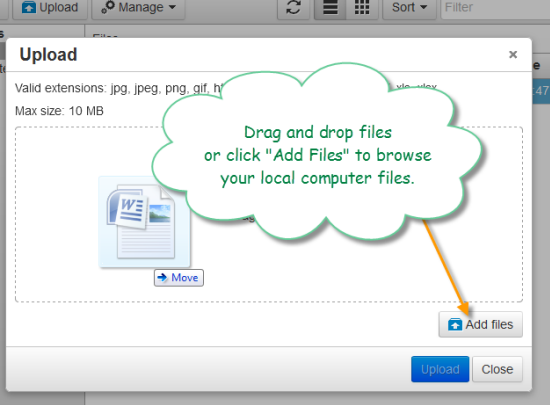
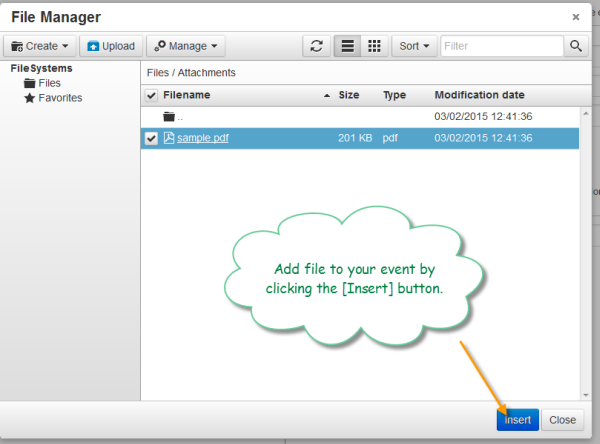
5. Select a file to insert into your event and click [Insert] button.
Important Notes
- You are responsible for securing documents or files with password protection. We do not password protect or encrypt documents that are stored in CalendarWiz.
- File Manager works with Chrome, Safari 5+, Internet Explorer 10+, Firefox, iPad iOS6+, Android tablet OS4+